Business Card Size: Dimensions in Inches, mm and Pixels
The standard business card size in the US and Canada is 3.5 x 2 inches (88.9 x 50.8 mm). Below: every common size by country, with bleed, safe zone and pixel dimensions at 300 DPI.
The standard business card size in the United States and Canada is 3.5 x 2 inches, which is 88.9 x 50.8 mm (printers often round it to 89 x 51 mm). At 300 DPI that is 1050 x 600 pixels. A print file usually adds a 0.125 inch bleed on every side, so the full artwork measures 3.75 x 2.25 inches, or 1125 x 675 pixels.
Other countries use different business card dimensions: 85 x 55 mm in most of Europe and the UK, 91 x 55 mm in Japan and 90 x 54 mm in China. India has no single official standard, so see our separate visiting card size guide for India. Every template on this page opens in the free business card maker already set to the right size, with bleed added to the PDF for you.
Standard business card size at a glance
If you only need the numbers for a standard US card, here they are. Everything is based on the trimmed size of 3.5 x 2 inches with a 0.125 inch (1/8 inch) bleed and a 0.125 inch safe margin, as published by US printers such as 4over4 and Vistaprint.
| Measurement | Trim size (finished card) | With 0.125 in bleed | Safe zone (keep text inside) |
|---|---|---|---|
| Inches | 3.5 x 2 | 3.75 x 2.25 | 3.25 x 1.75 |
| Centimeters | 8.89 x 5.08 | 9.525 x 5.715 | 8.255 x 4.445 |
| Millimeters | 88.9 x 50.8 (often rounded to 89 x 51) | 95.25 x 57.15 | 82.55 x 44.45 |
| Pixels at 300 DPI | 1050 x 600 | 1125 x 675 | 975 x 525 |
The ratio is 7:4 (1.75 to 1). If you design in a tool that only asks for pixels, use 1050 x 600 for a card with no bleed, or 1125 x 675 if your printer wants the bleed included in the file.
Business card size conversion table (all common sizes)
Use this table when a printer, client or software asks for a size in a unit you do not usually work in. Inch values for metric cards are rounded to three decimals, and pixel values are rounded to the nearest whole pixel at 300 DPI. The US row uses the 0.125 inch bleed; metric rows use a 3 mm bleed, which is common in Europe and Japan (MOO UK uses 2 mm, and some printers use 1.5 mm or 5 mm, so always check your printer's template).
| Size | Inches | cm | Pixels at 300 DPI | With bleed (mm) | With bleed (pixels at 300 DPI) |
|---|---|---|---|---|---|
| US / Canada, 3.5 x 2 in | 3.5 x 2 | 8.89 x 5.08 | 1050 x 600 | 95.25 x 57.15 (0.125 in bleed) | 1125 x 675 |
| Europe / UK, 85 x 55 mm | 3.346 x 2.165 | 8.5 x 5.5 | 1004 x 650 | 91 x 61 | 1075 x 720 |
| Japan, 91 x 55 mm | 3.583 x 2.165 | 9.1 x 5.5 | 1075 x 650 | 97 x 61 | 1146 x 720 |
| China, 90 x 54 mm | 3.543 x 2.126 | 9.0 x 5.4 | 1063 x 638 | 96 x 60 | 1134 x 709 |
| Australia / NZ (common), 90 x 55 mm | 3.543 x 2.165 | 9.0 x 5.5 | 1063 x 650 | 96 x 61 | 1134 x 720 |
| Russia, South Korea, much of Latin America, 90 x 50 mm | 3.543 x 1.969 | 9.0 x 5.0 | 1063 x 591 | 96 x 56 | 1134 x 661 |
| Credit card (ISO/IEC 7810 ID-1), 85.60 x 53.98 mm | 3.370 x 2.125 | 8.56 x 5.398 | 1011 x 638 | 91.6 x 59.98 | 1082 x 708 |
For a vertical (portrait) card, simply swap the two numbers: a vertical US card is 2 x 3.5 inches, or 600 x 1050 pixels at 300 DPI.
Business card size by country
There is no worldwide standard. Each market settled on its own size, and individual printers sometimes trim a millimeter or two differently. This table summarizes what is most common.
| Country or region | Common size | Notes |
|---|---|---|
| United States, Canada | 3.5 x 2 in (88.9 x 50.8 mm) | The de facto standard; printers often round to 89 x 51 mm. |
| UK and most of Europe | 85 x 55 mm | Some printers vary slightly; MOO UK trims standard cards to 84 x 55 mm. |
| Japan | 91 x 55 mm | Known as "yon-go" size. |
| China | 90 x 54 mm | Standard size listed by Canva China. |
| India | 3.5 x 2 in is most common | No single official standard; some printers use 91 x 55 mm, so ask your printer. |
| Australia, New Zealand | 90 x 55 mm is common | Varies by printer: Officeworks also offers 90 x 50, 85 x 55 and 88.9 x 50.8 mm; Vistaprint NZ's standard is 91 x 55 mm. |
| Russia, South Korea, much of Latin America | 90 x 50 mm | Based on secondary sources; confirm locally. |
| Credit-card size (any country) | 85.60 x 53.98 mm | ISO/IEC 7810 ID-1, with rounded corners of about 3 mm radius. |
If you hand out cards in more than one country, design for the size used where you print. A US card is slightly longer and narrower than a European one, so a layout made for one will not drop into the other without small adjustments.
Bleed, trim and safe zone explained
Commercial printers print many cards on a large sheet and then cut them apart. The cut can drift slightly, so the file needs three zones:
- Bleed: extend any background color or image 0.125 inch past the trim line on every side (3.75 x 2.25 inches total for a US card). If the cut drifts, you see more background instead of a thin white sliver.
- Trim line: the finished size, 3.5 x 2 inches.
- Safe zone: keep text, logos and QR codes at least 0.125 inch inside the trim, which leaves a 3.25 x 1.75 inch area. Anything outside it risks being cut off.
For metric cards, a 2 mm or 3 mm bleed is common, but some printers ask for 1.5 mm or 5 mm. Their own template always wins. The PDF download from our maker adds a 0.125 inch bleed automatically, and the on-screen guides show you where the safe zone is.
Two more print rules matter as much as size: use 300 DPI at the printed size, and use CMYK color for professional printing. Screens display RGB, so very bright RGB colors can print duller. MOO also recommends keeping all text at 8 pt or larger and lines at least 0.5 pt thick; see our business card font size guide for more.
How to set up the right size in popular tools
In our free maker
- Open any template on this page in the business card maker.
- Pick the size: 3.5 x 2 in (US/India), 85 x 55 mm (Europe/UK), 91 x 55 mm (Japan, also used in India) or 90 x 54 mm (China), horizontal or vertical.
- Keep text inside the safe-zone guide, then download a print-ready PDF (with 0.125 in bleed), a PNG, or a 10-up print sheet.
In Canva
- Create a design with custom dimensions of 3.5 x 2 in (or your metric size).
- Turn on the rulers and margins and show print bleed from the file or view settings.
- Download as PDF Print and tick the crop marks and bleed option if your printer asks for it.
In Photoshop
- Create a new document of 3.75 x 2.25 inches at 300 pixels per inch (1125 x 675 px), so the bleed is built in.
- Set the color mode to CMYK if your printer asks for it.
- Add guides 0.125 inch in from each edge (the trim) and 0.25 inch in from each edge (the safe zone).
In Illustrator
- Create a new document with an artboard of 3.5 x 2 inches.
- Enter 0.125 inch in the bleed fields for all four sides.
- Export as PDF with "Use Document Bleed Settings" enabled.
In Word
Word is best for printing 10 cards on a sheet. Use our business card template for Word, or see the Avery business card template guide for the 5371 sheet layout (2 x 3.5 in cards, 10 per sheet).
Vertical, square and other non-standard sizes
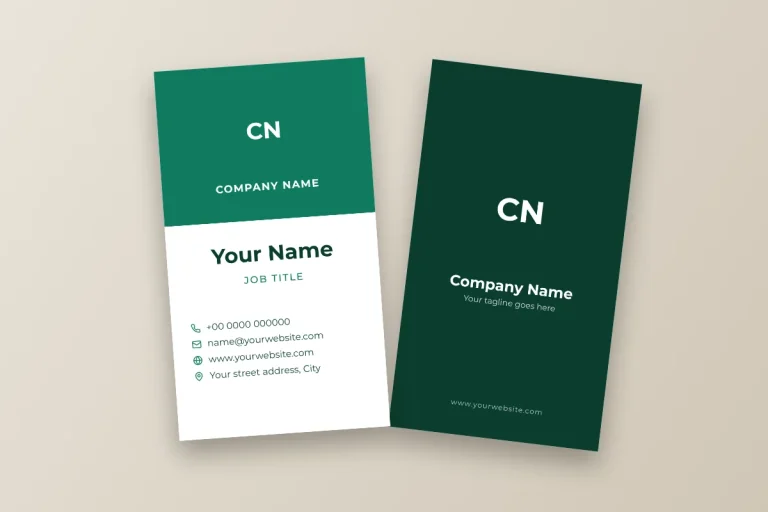
A vertical card uses the same dimensions turned on its side: 2 x 3.5 inches in the US, 55 x 85 mm in Europe. It fits the same wallets and card holders and costs the same to print, which is why it is a popular way to stand out. Browse our vertical business card templates for layouts built for portrait orientation.
Square cards and mini cards also exist, but they are specialty sizes that vary from printer to printer, and they may not fit standard card holders or printable sheets. If you want one, download your printer's template rather than guessing the dimensions.
Common sizing mistakes to avoid
- Designing at screen resolution. A 350 x 200 pixel image looks fine on a phone but prints blurry. Use 1050 x 600 px or more for a US card.
- Forgetting bleed. If your background touches the edge, send 3.75 x 2.25 inches, not 3.5 x 2.
- Text too close to the edge. Keep everything 0.125 inch inside the trim.
- Mixing sizes. An 85 x 55 mm European file sent to a US printer, or the reverse, will be scaled or cropped.
- Tiny QR codes. Print a QR code at least 0.8 x 0.8 inch (about 2 x 2 cm) with a blank margin around it.
Once the size is right, decide what goes on the card with our guide to what to put on a business card.
Frequently asked questions
What is the standard business card size?
The standard business card size in the US and Canada is 3.5 x 2 inches, which equals 88.9 x 50.8 mm. Printers often round that to 89 x 51 mm. Most of Europe and the UK use 85 x 55 mm, Japan uses 91 x 55 mm and China uses 90 x 54 mm, so check where you will print.
What is the business card size in pixels?
At 300 DPI, a 3.5 x 2 inch business card is 1050 x 600 pixels. If your printer wants the 0.125 inch bleed included in the file, make it 1125 x 675 pixels. For a vertical card, swap the numbers to 600 x 1050 or 675 x 1125 pixels.
What size is a business card in cm?
A standard US business card is 8.89 x 5.08 cm, usually rounded to 8.9 x 5.1 cm. A European or UK card is 8.5 x 5.5 cm. A Japanese card is 9.1 x 5.5 cm and a Chinese card is 9.0 x 5.4 cm. Always confirm with your printer's template before ordering.
What size should a business card be with bleed?
For a US card, add 0.125 inch on every side, so the file measures 3.75 x 2.25 inches (1125 x 675 pixels at 300 DPI). For metric cards, 2 mm or 3 mm bleed is common, though some printers ask for 1.5 mm or 5 mm. Use the bleed your printer specifies.
Is a business card the same size as a credit card?
Not exactly. A credit card follows ISO/IEC 7810 ID-1 at 85.60 x 53.98 mm with rounded corners, while a US business card is 88.9 x 50.8 mm. A business card is slightly longer and narrower, but both fit in a normal wallet slot.
Sources
Related
- Visiting Card Size in Inches, cm, mm and PixelsIn India, the most common visiting card size is 3.5 x 2 inches (8.9 x 5.1 cm, 1050 x 600 pixels at 300 DPI)....
- Free Business Card MakerDesign a business card or visiting card in minutes: choose a template, type your details, add a logo and...
 Vertical Business Card TemplatesA vertical business card is the standard card turned on its side: 2 x 3.5 in instead of 3.5 x 2 in. It stands...
- Business Card Template for WordDownload a free business card template for Word: a 10-up .docx for US Letter in the Avery 5371 layout, and an...