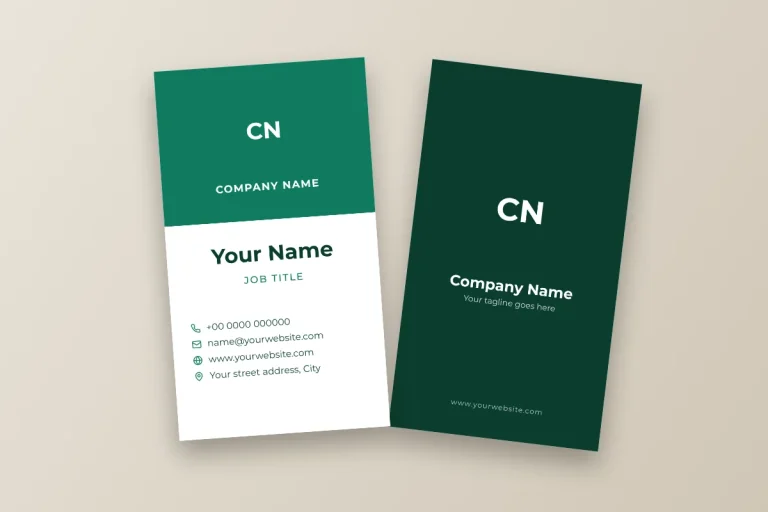
Visiting Card Size in Inches, cm, mm and Pixels
In India, the most common visiting card size is 3.5 x 2 inches (8.9 x 5.1 cm, 1050 x 600 pixels at 300 DPI). Some printers use 91 x 55 mm instead, so confirm with your printer before you design.
The most common visiting card size in India is 3.5 x 2 inches, which is about 8.9 x 5.1 cm (89 x 51 mm) or 1050 x 600 pixels at 300 DPI. India has no single official standard, though, and some printers use 91 x 55 mm (the Japanese size) instead. Before you design, ask your printer which size they cut and how much bleed they want.
This guide is written for Indian visiting cards: it covers both common sizes in inches, cm, mm and pixels, how to set up the file in Photoshop and CorelDRAW (the two programs most local print shops use), and when to go vertical or double-sided. For US and international sizes, see the business card size guide. Every template on this page opens in our free visiting card maker at 3.5 x 2 in or 91 x 55 mm, with Hindi and Gujarati text supported.
Visiting card size in India: the short answer
| Unit | 3.5 x 2 in card (most common) | 91 x 55 mm card (also used) |
|---|---|---|
| Inches | 3.5 x 2 | 3.583 x 2.165 |
| cm | 8.89 x 5.08 (usually written 8.9 x 5.1) | 9.1 x 5.5 |
| mm | 88.9 x 50.8 (usually written 89 x 51) | 91 x 55 |
| Pixels at 300 DPI | 1050 x 600 | 1075 x 650 |
If you are not sure which one your printer uses, design at 3.5 x 2 inches. It is the size most Indian print shops expect, and it matches the US standard, so cardholders and printable sheets made for it are easy to find.
Visiting card size conversion table, with and without bleed
Bleed is extra background that runs past the cut line so no white edge appears if the cutting machine drifts. For a 3.5 x 2 inch card the usual bleed is 0.125 inch (1/8 inch, about 3.2 mm) on every side. For metric cards, 2 mm or 3 mm is common, and some printers ask for 1.5 mm or 5 mm. The table uses 0.125 inch for the inch-based card and 3 mm for 91 x 55 mm.
| Size | Without bleed | With bleed |
|---|---|---|
| 3.5 x 2 in, inches | 3.5 x 2 | 3.75 x 2.25 |
| 3.5 x 2 in, cm | 8.89 x 5.08 | 9.525 x 5.715 |
| 3.5 x 2 in, mm | 88.9 x 50.8 | 95.25 x 57.15 |
| 3.5 x 2 in, pixels at 300 DPI | 1050 x 600 | 1125 x 675 |
| 91 x 55 mm, inches | 3.583 x 2.165 | 3.819 x 2.402 |
| 91 x 55 mm, cm | 9.1 x 5.5 | 9.7 x 6.1 |
| 91 x 55 mm, mm | 91 x 55 | 97 x 61 |
| 91 x 55 mm, pixels at 300 DPI | 1075 x 650 | 1146 x 720 |
Also keep a safe zone: text, logo and QR code should sit at least 0.125 inch (about 3 mm) inside the cut line. On a 3.5 x 2 inch card that leaves a 3.25 x 1.75 inch area (975 x 525 pixels at 300 DPI) for anything important.
Visiting card size in other countries
If you are printing for a client abroad, or ordering from an international online printer, the size may be different from what Indian shops use.
| Where | Common size | In inches (approx.) |
|---|---|---|
| India | 3.5 x 2 in; 91 x 55 mm also used | 3.5 x 2 |
| USA, Canada | 3.5 x 2 in (88.9 x 50.8 mm) | 3.5 x 2 |
| UK, most of Europe | 85 x 55 mm | 3.346 x 2.165 |
| Japan | 91 x 55 mm | 3.583 x 2.165 |
| China | 90 x 54 mm | 3.543 x 2.126 |
| Australia, New Zealand | 90 x 55 mm is common (varies by printer) | 3.543 x 2.165 |
| Gulf and other markets | Varies by printer | Ask for the printer's template |
Our business card size by country table has pixel values and bleed sizes for each of these.
How to set the visiting card size in Photoshop
Photoshop works in pixels, so the resolution setting matters as much as the size. These steps make a 3.5 x 2 inch card with bleed already included.
- Go to File > New. Set Width to 3.75 and Height to 2.25, with units set to Inches. (For 91 x 55 mm, use 97 x 61 Millimeters.)
- Set Resolution to 300 Pixels/Inch. Photoshop should show 1125 x 675 pixels (or 1146 x 720 for 91 x 55 mm).
- Set Color Mode to CMYK Color if your printer prints offset and asks for CMYK. Keep RGB only for a card that will be shared digitally.
- Add guides 0.125 inch from each edge for the cut line, and 0.25 inch from each edge for the safe zone. In recent versions, View > Guides > New Guide Layout lets you enter these as margins in one step; in older versions add each guide with View > New Guide.
- Extend your background to the outer edge of the canvas, and keep text inside the inner guides.
- Save a layered PSD for edits, then export a flattened PDF or high-quality JPG for the printer.
If you started with a 3.5 x 2 inch canvas by mistake, use Image > Canvas Size and add 0.25 inch to both width and height to create the bleed.
How to set the visiting card size in CorelDRAW
Many print shops in India design in CorelDRAW and arrange several cards on a larger sheet. Menu names vary slightly between versions, but the steps are the same.
- Go to File > New. Set Width 3.5 in and Height 2 in (or 91 mm x 55 mm), Primary color mode CMYK and Rendering resolution 300 dpi.
- Open the page size settings (Layout > Page Setup in most versions) and enter a Bleed of 0.125 in or 3 mm, as your printer asks. Tick "Show bleed area" so you can see it.
- Draw your background rectangle to the edge of the bleed area, not just the page edge.
- Keep text and logos at least 0.125 in (3 mm) inside the page border. A rectangle you mark as non-printing, or a set of guidelines, helps.
- Convert text to curves (or embed fonts) before sending, especially for Hindi or Gujarati fonts the printer may not have.
- Use File > Publish to PDF and, in the PDF settings, include the bleed and crop marks if the printer wants them.
Vertical and double-sided visiting cards
A vertical visiting card uses the same size turned on its side: 2 x 3.5 inches (5.1 x 8.9 cm, 600 x 1050 pixels at 300 DPI). No extra cost or special cutting is needed, and it suits shops, salons and creative professions.
Double-sided cards are very common in India. A popular split is name, designation and phone on the front, and the shop address, services list, GSTIN or a QR code on the back. Design both sides at exactly the same size and bleed, and keep the back's text inside the safe zone too, because double-sided printing can shift by a small amount. Every template on this site includes a front and a back, and the back can carry a QR code that saves your contact details to a phone. Print the QR code at least 0.8 x 0.8 inch (about 2 x 2 cm).
Paper, resolution and printing tips for Indian printers
- Resolution: 300 DPI at the printed size. A photo or logo copied from WhatsApp is usually too small and will print blurry.
- Color: send CMYK for offset printing. Bright screen colors can look duller on paper.
- Paper: Indian printers quote thickness in GSM; 300 to 400 gsm is typical for premium cards. See our visiting card paper thickness guide.
- Text size: keep text at 8 pt or larger, including the small address line.
- Ask first: confirm the size (3.5 x 2 in or 91 x 55 mm), bleed, file format and whether they want crop marks. Conventions vary from shop to shop.
- Printing at home: use a 10-up sheet and cut carefully. Our guide on printing visiting cards at home explains how.
Need a starting point? Pick a ready design from our visiting card design collection or a plain visiting card background, add your details in the maker, and download a print-ready PDF, PNG or 10-up print sheet.
Frequently asked questions
What is the standard visiting card size in India?
India has no single official standard. The most common size is 3.5 x 2 inches (about 8.9 x 5.1 cm or 89 x 51 mm), the same as the US standard. Some printers use 91 x 55 mm instead, so ask your printer which size they cut before you design or order.
What is the visiting card size in cm?
A 3.5 x 2 inch visiting card is 8.89 x 5.08 cm, usually written as 8.9 x 5.1 cm. If your printer uses the 91 x 55 mm size, that is 9.1 x 5.5 cm. With a 0.125 inch bleed, the 3.5 x 2 inch file becomes about 9.5 x 5.7 cm.
What is the visiting card size in pixels?
At 300 DPI, a 3.5 x 2 inch visiting card is 1050 x 600 pixels, or 1125 x 675 pixels with a 0.125 inch bleed. A 91 x 55 mm card is about 1075 x 650 pixels, or 1146 x 720 pixels with a 3 mm bleed.
What size should I use in Photoshop for a visiting card?
Create a 3.75 x 2.25 inch document at 300 pixels per inch, which gives 1125 x 675 pixels including bleed. Add guides 0.125 inch from each edge for the cut line and 0.25 inch for the safe zone. Use CMYK color if your printer asks for it.
What is the visiting card size in mm?
The common Indian size of 3.5 x 2 inches is 88.9 x 50.8 mm, usually rounded to 89 x 51 mm. The alternative size some printers use is 91 x 55 mm. European cards are 85 x 55 mm and Chinese cards are 90 x 54 mm.
Can a visiting card be vertical?
Yes. A vertical visiting card uses the same size turned sideways: 2 x 3.5 inches, or 600 x 1050 pixels at 300 DPI. It fits the same wallets and holders and is printed and cut the same way as a horizontal card.
Sources
Related
- Business Card SizeThe standard business card size in the US and Canada is 3.5 x 2 inches (88.9 x 50.8 mm). Below: every common...
- Visiting Card Design Templates by ProfessionFind a visiting card design made for your profession. Each of the 45 pages below has templates with the...
- Business Card Paper ThicknessBusiness card paper is measured in points (pt) in the US and GSM almost everywhere else. Here is how the two...
 Vertical Business Card TemplatesA vertical business card is the standard card turned on its side: 2 x 3.5 in instead of 3.5 x 2 in. It stands...