Digital Visiting Card: What It Is and How to Make One
A digital visiting card shares your contact details on a phone instead of (or as well as) on paper. Here is how each type works and how to make a free QR code card in minutes.
A digital visiting card is an electronic version of your business card that people can save to their phone: usually a contact file (vCard), a QR code that opens that contact, an image or PDF you send on WhatsApp, a link page, or an NFC card they tap. The simplest free option is a printed or shared card with a QR code that, when scanned, offers to save your name, number and email straight into the phone's contacts.
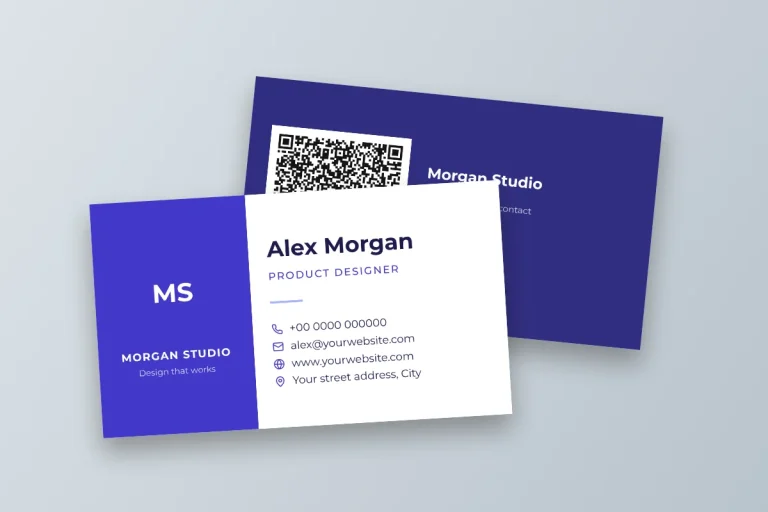
You can make that today with the templates below. Open any design in our free business card maker, fill in your details, switch on the QR code on the back, and download a PNG to share or a print-ready PDF. The result works as a digital business card on screen and a paper visiting card in your wallet.
Types of digital business cards compared
"Digital visiting card" covers several different things. They are not mutually exclusive; many people combine two or three.
| Type | How it is shared | Needs an app or account? | Can you update it later? | Best for |
|---|---|---|---|---|
| vCard file (.vcf) | Sent as an attachment by email or chat | No | No, you send a new file | Emailing contacts after a meeting |
| QR code with vCard data | Scanned from a printed card or a screen | No | No, the data is inside the code | Paper cards, shop counters, event badges |
| Card image or PDF | WhatsApp, email, social media | No | No, you share a new image | Quick sharing in India and anywhere WhatsApp is common |
| Link page (link-in-bio style) | A URL, often inside a QR code | Usually a service account | Yes | People whose details or offers change often |
| NFC card | Tapped against a phone | Usually a service to set the link | Often, if it points to a link page | Frequent networkers who like a physical object |
| Wallet pass | Added to Apple Wallet or Google Wallet | A service that creates passes | Depends on the service | Showing a card from your own phone |
How a vCard QR code works
A vCard is a standard text format for contact details. Version 4.0 is defined in RFC 6350 and version 3.0 in RFC 2426. When those details are encoded into a QR code, most phones read the code and show a "save contact" prompt, so the person does not have to type anything.
A vCard QR code is static: the contact data is stored in the pattern itself. That has two consequences. It works offline and does not depend on any website staying online, which is good for privacy and reliability. But you cannot change it after printing; a new phone number means a new code. Link-based codes can be updated, but they rely on the page or service behind the link.
For printing, keep the QR code at least 0.8 x 0.8 in (about 2 x 2 cm) and leave a quiet zone (blank margin) of at least 4 modules around it. More details means a denser code, so put only what people need: name, title, company, phone, email and website. Our QR code business card templates are already laid out with room for this.
How to make a digital visiting card with QR code, free
- Choose a design. Pick a template on this page or browse by style, for example minimalist business card designs, which keep the QR code easy to scan.
- Open it in the maker. All templates load with placeholder details. Replace them with your name, designation, phone, email, website and address. Hindi and Gujarati text is supported.
- Turn on the QR code on the back. The back of the card can show a QR code that saves your contact as a vCard. Check that the details in it are the ones you want strangers to have.
- Test the code. Scan it with two different phones (for example one Android and one iPhone) before sharing. Confirm the name and number appear correctly in the save contact screen.
- Download for screens. Download PNG for WhatsApp, Instagram or email signatures.
- Download for print. Download the print-ready PDF (with 0.125 in bleed) for a print shop, or the 10-up sheet to print at home.
Need to decide what to include first? See what to put on a business card.
Sharing your visiting card on WhatsApp
In India, the most common "digital visiting card" is simply a card image sent on WhatsApp. To make that work well:
- Send the front and back. The front shows who you are; the back carries the QR code. Some people combine both into one image.
- Send as a document if it looks blurry. Chat apps often compress photos. Sending the PNG or PDF as a document keeps it sharp, which matters for scanning a QR code from a screen.
- Add the text too. Put your number and email in the message as well, so it is searchable in the chat and tappable.
- Use your WhatsApp Business profile. If you use the business app, add the card image to your catalogue or profile so new customers can find it.
A QR code on screen can be scanned by another phone held up to it, so a saved card image doubles as a contactless card at a meeting.
NFC cards, link pages and wallet passes
NFC business cards have a small chip inside (often in a plastic, metal or wooden card). When someone taps it against a phone with NFC turned on, the phone opens a link, which usually leads to a profile page or contact download. They feel modern, but the person still needs NFC enabled, and the card is only as useful as the link it points to. Many NFC cards also print a QR code as a backup.
Link pages collect your phone, email, social profiles, location and services on one web page. Because you control the page, you can update it at any time. Put the link in a QR code on your paper card for the best of both.
Wallet passes are cards stored in Apple Wallet or Google Wallet. Several services create them; they are handy for showing your own card on your phone, but the person you meet still has to scan or tap to save your details.
Digital vs paper visiting cards: pros and cons
| Digital card | Paper card | |
|---|---|---|
| Cost to share | Nothing per share | Each card is printed |
| Saving details | One tap or scan to save | Must be typed in (unless it has a QR code) |
| Updating | Easy for link pages; new file for images and vCards | Reprint needed |
| First impression | Depends on the screen and the app | Paper weight and finish make an impression |
| Works without a phone | No | Yes |
For most people the answer is both: a well-designed paper card with a vCard QR code on the back, plus the same design as a PNG for WhatsApp and email. If you go with paper, our business card paper thickness guide helps you pick the stock.
Privacy tips for digital business cards
- Share a work number and email if you have them. A card image can be forwarded endlessly.
- Skip your home address unless you work from home and customers need to visit. A city or area is often enough.
- Check what the QR code contains. Scan it yourself and read every field before printing.
- Prefer static vCard codes if you do not want a third-party service to log scans. Link pages and NFC services may collect analytics; read their privacy terms.
- Plan for changes. If your number may change soon, use a link page so you can update it without reprinting.
Frequently asked questions
How can I make a digital visiting card for free?
Open any template in our free business card maker, replace the placeholder details with yours, and switch on the QR code on the back so it saves your contact as a vCard. Download a PNG to share on WhatsApp or email, and a print-ready PDF or 10-up sheet if you also want paper cards. No account or app is needed.
What is the difference between a digital business card and a QR code business card?
A QR code business card is one kind of digital business card. The QR code, printed or shown on a screen, holds your contact details or a link. Digital business card is the wider term and also covers vCard files, card images shared on WhatsApp, link pages, NFC cards and wallet passes.
Can I change my digital visiting card after sharing it?
It depends on the type. A QR code with vCard data and a card image cannot change once shared, so you send or print a new one. A link page, or an NFC card or QR code that points to a link page, can be updated at any time because the details live on the web page.
How big should the QR code be on a visiting card?
Print the QR code at least 0.8 x 0.8 inches, which is about 2 x 2 cm, and leave a blank quiet zone of at least 4 modules around it. Keep the data short so the code is not too dense, and test it with more than one phone before printing a full batch.
Do NFC business cards work with every phone?
They work with phones that have NFC hardware and have it turned on. Many people do not know where their NFC setting is, so it is sensible to print a QR code on the NFC card as a backup, which any phone camera can scan.
Sources
Related
 QR Code Business Card TemplatesA QR code business card lets people scan the back of your card and save your name, phone and email straight...
- Free Business Card MakerDesign a business card or visiting card in minutes: choose a template, type your details, add a logo and...
- What to Put on a Business CardPut your name, job title, company, phone number, email and website on a business card. Add a logo, address,...
- Visiting Card Design Templates by ProfessionFind a visiting card design made for your profession. Each of the 45 pages below has templates with the...